Access Control Systems in 2026: From Key Cards to Cloud-Managed Security

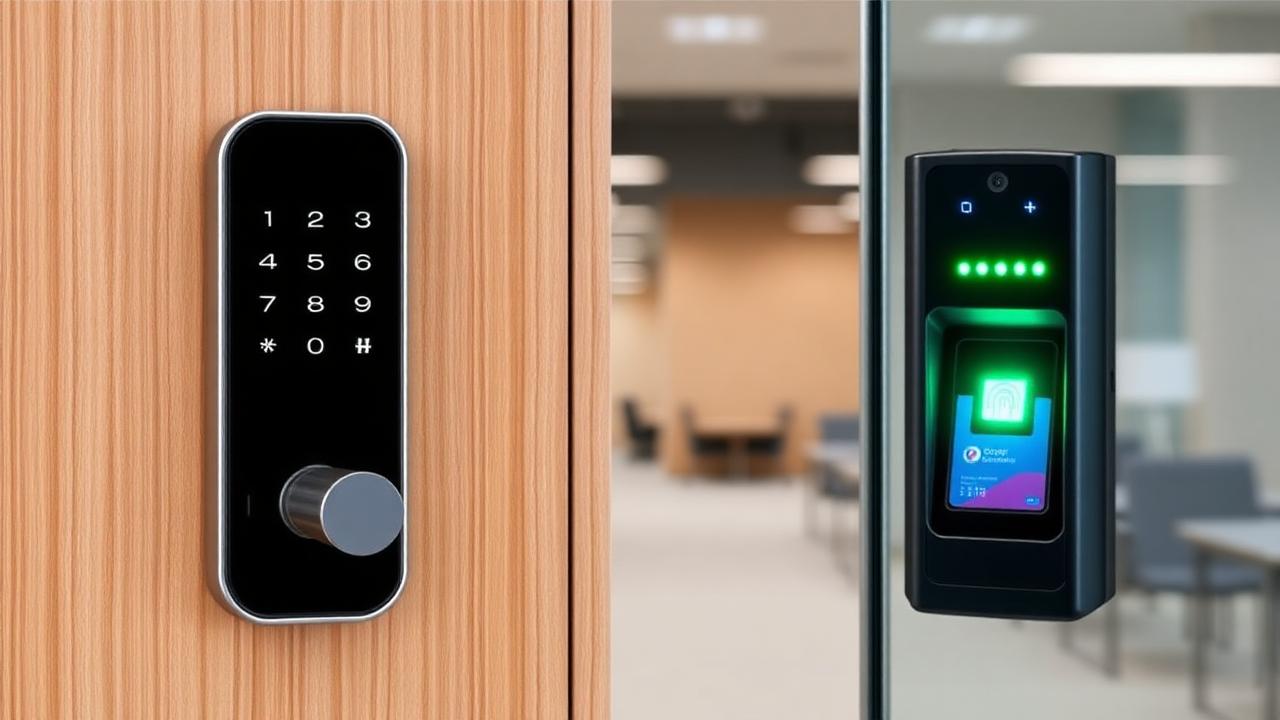
The access control industry has undergone a revolution. Legacy systems that required on-premises servers, proprietary hardware, and vendor-dependent programming are giving way to cloud-managed platforms that integrate with your broader security ecosystem, provide real-time visibility from anywhere, and scale without infrastructure investment. Having designed and deployed access control systems across corporate offices, manufacturing facilities, school campuses, and multi-tenant buildings for over fifteen years, I've witnessed this transformation firsthand — and the gap between legacy and modern systems has never been wider.
The Evolution of Access Control
Understanding where access control has been helps contextualize where it's going — and why modernization is not optional for organizations that take physical security seriously.
Generation 1: Mechanical Keys
The original access control system. Simple, proven, and fundamentally flawed for commercial applications: - No audit trail: You have no idea who entered a space or when - No time-based control: A key works 24/7, regardless of whether the holder should have access at 3 AM on a Sunday - Expensive rekeying: When a key is lost — or an employee is terminated — every lock that key opens must be rekeyed. For a 50-door facility, rekeying costs $3,000-$5,000 per incident - Easy duplication: A $5 trip to any hardware store creates an unauthorized copy - No integration: Mechanical keys exist in isolation, disconnected from cameras, alarms, and building management systems
Despite these limitations, I still encounter organizations — including some with hundreds of employees — relying exclusively on mechanical keys. The false sense of security is remarkable: they've locked the door, so they believe they're protected. They have no visibility into who's entering, when, or whether unauthorized copies of their keys are circulating.
Generation 2: Card-Based On-Premises Systems
Proximity cards and magnetic stripe readers addressed some of the limitations of mechanical keys: - Basic audit trails: Entry events logged with card number, reader location, and timestamp - Time-based access schedules: Cards can be programmed to work only during specified hours - Instant credential revocation: A terminated employee's card is deactivated in the system immediately - Cost-effective credential replacement: Lost cards are replaced for $5-$15 each
But legacy card systems introduced their own set of problems: - On-premises server dependency: The system runs on a dedicated server (or panel) that must be maintained, patched, and replaced on a hardware lifecycle - Proprietary vendor lock-in: Programming changes often require a service call from the installing dealer at $100-$200/visit - Limited integration: Connecting cameras, visitor management, or building systems requires expensive middleware and custom programming - Credential sharing: Cards are easily shared between authorized and unauthorized users - No remote management: Administrators must be physically present or VPN-connected to make changes - Vulnerability to cloning: Standard 125kHz proximity cards can be cloned with $20 devices available on Amazon
Generation 3: Cloud-Managed Platforms
Modern cloud-managed access control represents a fundamental architectural shift. The intelligence moves from on-premises hardware to cloud software, delivering capabilities that were previously available only to enterprise organizations with dedicated security teams and six-figure budgets.
Mobile credentials eliminate physical cards entirely. Employees use their smartphones — via Bluetooth Low Energy (BLE) or Near Field Communication (NFC) — to authenticate at doors. Mobile credentials offer significant advantages: - Cannot be shared (tied to a specific phone with biometric unlock) - Cannot be cloned (cryptographically secured) - Can be issued and revoked remotely in seconds - Provide richer data (device type, OS version, Bluetooth signal strength) - Reduce ongoing costs (no physical cards to purchase, print, or replace)
Real-time cloud monitoring provides visibility from anywhere. Administrators can view live door status, review access logs, lock or unlock doors, and receive alerts — from their laptop, tablet, or phone, whether they're in the building or on another continent.
AI-powered anomaly detection uses machine learning to identify unusual access patterns: - An employee badging in at an unusual time - Multiple failed access attempts at a restricted area - Tailgating detection (multiple entries on a single credential) - Access pattern changes that might indicate a compromised credential
Open API architecture enables integration with virtually any system: - Video management systems (automatic camera recording on door events) - Visitor management platforms (pre-registered guest access with host notifications) - HR and identity management systems (automatic provisioning when employees are hired, automatic deprovisioning when they leave) - Building management systems (trigger HVAC and lighting based on occupancy) - Alarm and intrusion detection systems (arm/disarm based on access events)
Key Features to Evaluate
When evaluating access control systems, look beyond the hardware. The platform — its software capabilities, integration ecosystem, and operational model — determines the system's long-term value.
Credential Types
Modern systems should support multiple credential types to accommodate different use cases and security levels:
Mobile credentials for the majority of users. Smartphone-based access via BLE or NFC provides the best balance of security and convenience. BLE credentials work at distances of 2-10 feet (configurable), enabling "wave to unlock" gestures. NFC credentials require the phone to be held within inches of the reader, providing an additional layer of intentionality.
Smart cards (encrypted contactless cards using DESFire EV2 or EV3) for users who cannot or prefer not to use smartphone credentials. Modern smart cards use AES-128 encryption, making them resistant to cloning — unlike legacy 125kHz proximity cards.
Biometrics for high-security areas. Fingerprint readers, facial recognition, and iris scanners provide the highest level of authentication assurance because they verify who you are, not what you carry. Multi-factor configurations — card plus biometric, or mobile plus biometric — provide defense-in-depth for the most sensitive spaces.
PIN codes as a backup access method. PINs should never be the primary credential (too easily shared and observed), but they serve as a useful fallback when a user forgets their phone or card.
Scalability and Architecture
The system you choose must grow with your organization without requiring infrastructure investment:
- ·Cloud-native architecture scales without additional servers. Adding 10 doors or 100 doors requires hardware at the doors — not a server upgrade in your closet.
- ·Multi-site management from a single dashboard. Organizations with multiple locations should manage all sites through a unified platform, not separate systems per building.
- ·Controller architecture: Evaluate whether the system uses intelligent door controllers (which continue operating during internet outages) or relies entirely on cloud connectivity (which creates a single point of failure).
- ·Open API architecture that allows custom integrations without vendor involvement. Your system should expose a RESTful API that your team (or your integrator) can use to build custom workflows.
Video Integration
Access control and video surveillance are exponentially more valuable together than separately. Modern integration capabilities include:
- ·Event-triggered recording: Automatically capture video clips when specific access events occur (forced door, access denied, after-hours entry)
- ·Video verification: View live or recorded video directly from the access event log, verifying who actually entered — not just which credential was used
- ·Occupancy analytics: Combine access data with camera-based people counting for accurate occupancy management
- ·Forensic investigation: Correlate access events with video timeline for incident investigation
Total Cost of Ownership
When comparing systems, the hardware cost is typically less than 30% of the five-year total cost of ownership. The real costs are:
Monthly software licensing: Cloud-managed systems charge per-door monthly fees ranging from $5-$25 per door. Over five years, a 50-door system at $15/door costs $45,000 in software licensing alone. Compare this against the cost of maintaining, patching, and eventually replacing an on-premises server.
Credential costs: Mobile credentials are typically included in the per-door licensing fee. Physical smart cards cost $3-$8 each. Legacy proximity cards cost $1-$3 each. Factor in replacement rates: 5-10% of physical credentials are lost or damaged annually.
Installation and cabling: Door hardware, electric locks, cabling, and labor represent the bulk of upfront costs. Budget $2,000-$5,000 per door for a typical commercial installation including hardware, lock, reader, controller share, and labor. Complex installations (glass doors, fire-rated frames, high-security locks) can exceed $8,000 per door.
Ongoing support and maintenance: Cloud-managed systems include firmware updates and feature enhancements in the subscription. Legacy systems require annual maintenance contracts ($50-$150/door/year) plus periodic hardware replacements.
Training and change management: Budget 4-8 hours for administrator training and plan for a 2-4 week user adoption period when transitioning from physical cards to mobile credentials.
Implementation Best Practices
Having deployed access control systems in every type of facility, I've developed a set of best practices that consistently produce successful outcomes:
Start with the floor plan, not the product. Walk every door, identify every access point, understand every workflow. Where do employees enter? Where do visitors check in? Which doors need to be locked 24/7? Which need to be open during business hours? Where are the fire exits (which have specific code requirements for egress)? A thorough door-by-door assessment prevents costly change orders during installation.
Plan for power failures. Electric locks fail in one of two states: fail-secure (locked) or fail-safe (unlocked). Life safety codes typically require fail-safe locks on egress paths and fire exits. High-security areas may require fail-secure locks. Getting this wrong violates fire code and creates liability.
Integrate from day one. The value of access control multiplies with integration. Plan your camera placement to cover every access-controlled door. Configure your HR system to automatically provision and deprovision access. Set up real-time alerts for security-relevant events. These integrations are dramatically easier to implement during initial deployment than to retrofit later.
Test everything. Before going live, test every door, every credential type, every schedule, every integration, and every failure mode. What happens when the internet goes down? What happens when a controller loses power? What happens when a door is held open? What happens when someone attempts access outside their authorized schedule?
My Recommendation
For most businesses in 2026, a cloud-managed access control system with mobile credentials offers the best balance of security, convenience, scalability, and cost. The elimination of physical cards alone — with their associated costs of purchasing, printing, managing, and replacing — often justifies the transition. Add the operational benefits of remote management, real-time monitoring, and seamless integration, and the case becomes overwhelming.
The organizations that delay modernization aren't saving money — they're accumulating technical debt and security risk that compounds with every passing year. If your access control system still runs on an on-premises server, uses 125kHz proximity cards, and requires a service call for programming changes, the time to modernize is now.